AI front desk & workflow automation for healthcare
Your practice. Your workflows. Your AI front desk.
talkaFlow handles calls, email, web chat, check-in, texts and the repetitive front-desk work around the way your clinic actually operates, not a fixed workflow you have to work around.
Change a rule today. Test it today. Put it live today.
talkaVoice · talkaChat · talkaSMS · talkaCheckIn · talkaNotify · works with your clinic software
Watch it work
See Talka at the front desk
Answering, booking, handing over and keeping every call on record, in under a minute.
One platform
One front desk. Every front door.
The same AI agent answers your phone line, web calls and website chat, and replies to recall texts, working to the same clinic rules in the same clinic software. Your inbox and self check-in at the desk run on rules you set too.
- Phone talkaVoice Answers every call, 24/7
- Web chat and web calls talkaChat On your website, in a link or on a QR code
- SMS talkaSMS Confirmation texts, form links and replies to recall texts
- Check-in talkaCheckIn Self check-in on your own iPad, in the steps you choose
- Email Email automation New Your clinic inbox, read, sorted and routed to the right person
- Phone talkaVoice Answers every call
- Website talkaChat Chat, link or QR code
- Front door talkaCheckIn Self check-in
- Writes to Your clinic software Bookings and arrivals · e.g. Best Practice
- Hands off to Follow-ups Tasks for reception
- Pops up on talkaNotify The reception screen
Your rules
Built around the way your clinic actually works
Every practice has different doctors, appointment rules, billing rules and escalation paths. talkaFlow is configured around those rules instead of forcing your team into a fixed workflow.
New patient
- 1 New patient
- 2 Register the patient
- 3 Appointment type
- 4 Doctor and time
- 5 Booking
- 6 Confirmation text and registration form
- 7 Staff follow-up if needed
ADHD appointment
- 1 ADHD request
- 2 Confirm patient type
- 3 Approved doctor
- 4 Appointment length
- 5 Billing rule
- 6 Booking
- 7 Required form or follow-up
After hours
- 1 After-hours call
- 2 Identify the request
- 3 Your urgent-call rule
- 4 Answers from your approved information
- 5 Follow-up logged in your portal
- 6 Your team emailed a summary
- 7 Staff call back next day
Three examples of rules a clinic can set. Yours are set up around your clinic.
Your clinic changes. Your automation should change with it.
Edit a workflow in draft, test it, and publish when you’re ready, without waiting on somebody else’s product roadmap. Roll back to any earlier version, and limit publishing rights to the staff you choose.
- Edit in draft
- Test
- Publish
Roll back any time
Works inside your real systems
It works inside your clinic software
Your AI front desk answers calls on talkaVoice and website chats on talkaChat, and works in the real appointment book your clinic already uses. Whatever it books is there for your team straight away.
- Finds the patient and confirms who they are Before it touches a booking, it checks the patient in your clinic software, e.g. Best Practice.
- Finds the right doctor and offers real free times Ask for a doctor by name, or take the earliest free time.
- Books, moves and cancels Straight in your appointment book, with a confirmation text after a phone booking.
- Updates contact details, with your OK A new mobile, email or address goes to your staff to approve before it’s written to the record.
- Follows your booking rules How much notice a same-day booking needs, how many times to offer, how far ahead to look.
- Answers from your clinic’s facts Hours, parking, services: it’s set up to answer from what you’ve written down, and to offer a callback from your staff when it doesn’t know.
Works with
- Best Practice via Halo Connect
- Cliniko
- Tyro Health
- Microsoft 365 or Gmail
- Your SIP trunk or PBX (e.g. 3CX)
- SMS
- Your website
With Cliniko, it checks availability, books, reschedules and cancels, and finds existing patients by name and date of birth. Medicare and DVA eligibility checks via Tyro Health, set up when your clinic is connected.
- Patient found in Best Practice Sam Taylor · date of birth confirmed
- Real free times offered Dr Nguyen · Fri 10:15 am or 11:40 am
- Appointment booked Fri 10:15 am with Dr Nguyen
- Confirmation text sent To the number the call came from
Doctors & Rooms
“Do you have a doctor who speaks Mandarin?”
Write each doctor’s profile once (languages, gender, services) and set the day’s rooms. The AI answers from the profiles you publish, shows doctor cards in web chat, and never recommends a doctor for a medical condition.
- Only published profiles are used; drafts stay private
- The doctor’s room for the day shows on the check-in screen
Languages
Localised, not just translated
Speaking a language is not enough for healthcare reception. talkaFlow is tuned for how patients actually give their names and ask for appointments, and each language your clinic needs is tuned as part of your setup.
We tune each language we support on its own, rather than bolting on another translation model.
Chinese names
- Family name first or given name first: it finds the patient either way
- Short Chinese and Vietnamese surnames aren’t mixed up with similar names
Arabic and Middle Eastern names
- Multi-part and compound surnames (al, abu, bin, ibn…), however they’re spaced
- Falls back to date of birth when a spelling differs
Patients and doctors
- Matches patients with doctors who speak their language
- Each language you switch on is tuned as part of your setup
Controlled AI
Controlled. Reviewable. Auditable.
We minimise AI hallucination by design: talkaFlow answers from your approved clinic information and live system data, acts only through the actions you’ve defined, and hands over to your team when a request falls outside the workflow.
If AI is speaking to your patients, you should always be able to see exactly what it said and what it did.
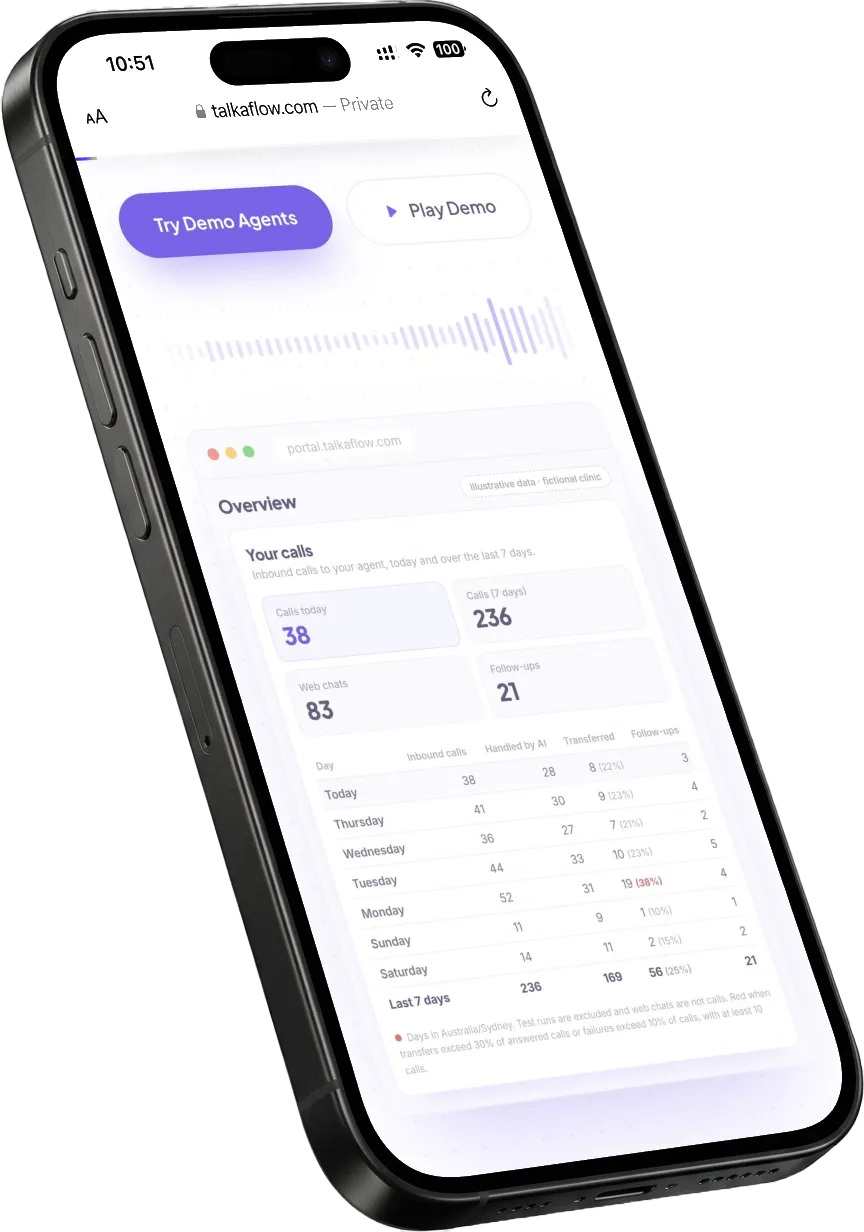
- Every call recorded (you can switch it off), transcribed and summarised
- A log of what the AI did on each call: bookings, transfers and follow-ups
- When each call happened, and how it ended
- Edit in draft, publish when ready, roll back to any earlier version; publishing can be limited to the staff you choose
- Your line flagged red when transfers pass 30% or failed calls pass 10%
Patient privacy
Patient privacy, in plain words
What the platform does today, without the jargon.
Hosted in Australia
Your data is hosted locally in Australia with medical-grade protection, and patient data does not leave the country.
Cleared after 7 days
Patient details are cleared from chat records after 7 days.
No posing as a patient
Web chat checks a patient’s details before it shares anything from their record.
Texts to the real number
Confirmations and form links go only to the number the call came from.
Access by role
Staff see what their role allows, and changes are written to an audit log.
Nothing live until it’s published
Changes to your receptionist stay drafts until someone with publish rights publishes them.
Recording links that expire
Shared recording links expire after 30 days by default, and you can revoke them any time.
Discreet at the kiosk
The check-in screen shows an initial and surname, never a full name.
Want the detail? We’ll walk you through where each part runs and what it keeps. Ask us
New
Your inbox can become a workflow too
talkaFlow works your clinic inbox too: each email is understood and sorted, approved questions are answered, the right staff member is assigned and notified, and the follow-up is tracked until it’s done.
For requests like
- Appointment requests
- Patient enquiries
- Referrals
- Scripts
- Forms
- Records requests
- Invoices
- Billing enquiries
Connect your Microsoft 365 or Gmail inbox and we’ll set it up with you. Talk to us
- 1 Incoming email
- 2 Understand and classify the request
- 3 Answer approved questions
- 4 Assign and notify the right staff member
- 5 Track the follow-up
Check-in
Check-in, on your rules too
talkaCheckIn
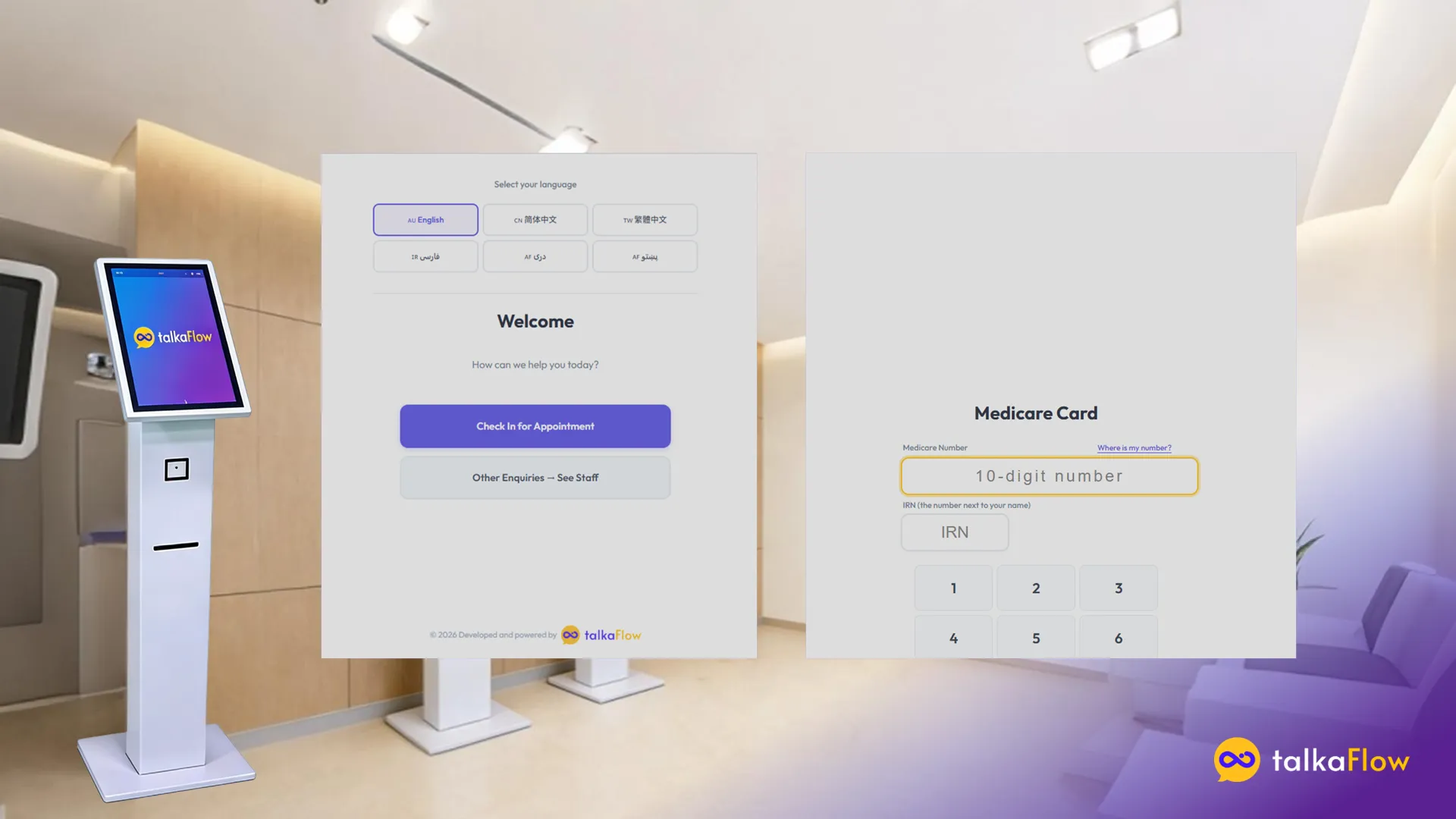
Self check-in on your own iPad
Patients check themselves in and are marked arrived in your clinic software. Switch on the steps you want:
- “New patient?” and “Appointment today?” questions up front
- Finds the patient by mobile number and date of birth
- Shows an initial and surname on screen, never the full name
- A billing check: if the notes in your clinic software flag the patient, they’re asked to see reception first
- The doctor’s room for the day on the arrival screen
- Medicare and DVA eligibility checks via Tyro Health, set up when your clinic is connected
- A bulk-billing workflow at check-in via Tyro Health
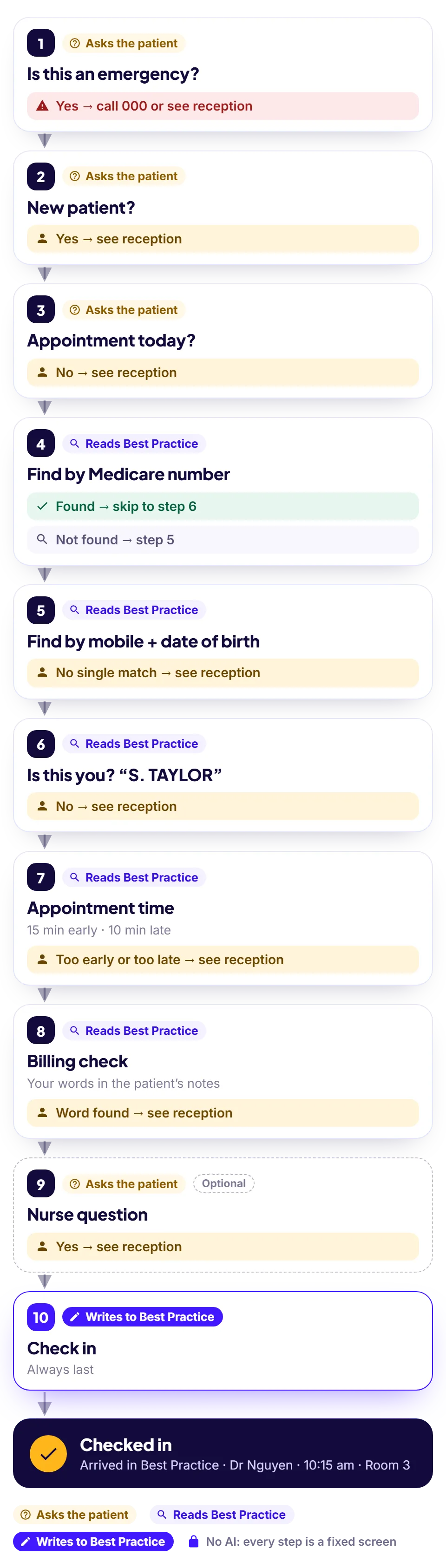
talkaCheckIn: your flow, your rules
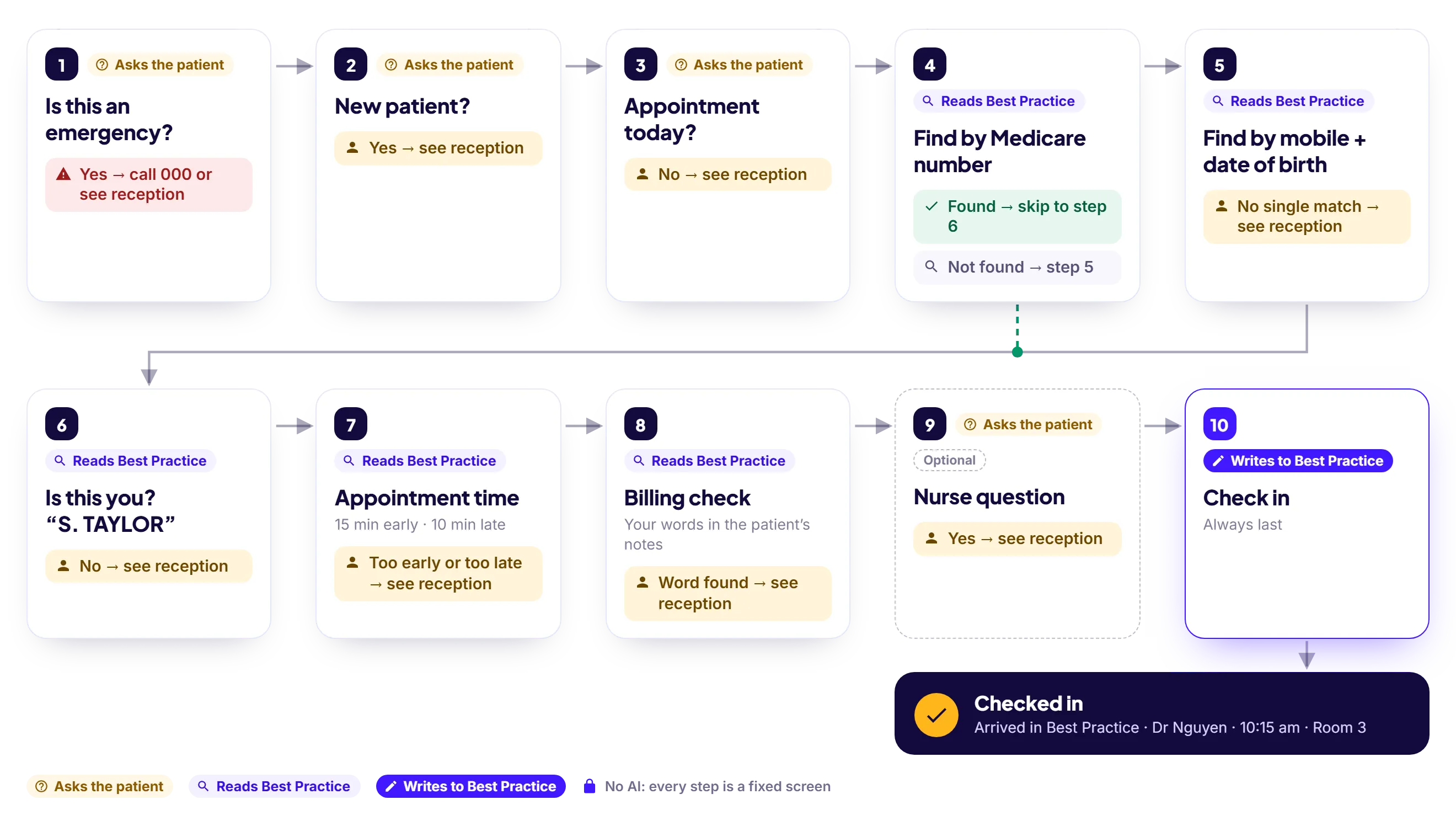
Steps go on and off, move up and down, and every answer can carry on, go to reception, or stop there. You arrange it in the portal and publish; the next patient sees it. No two clinics end up with the same flow.
Check-in Flow
Harbourview Medical · Published
No AI anywhere
- 1 Emergency question Yes → emergency message
- 2 New patient? Yes → see reception
- 3 Appointment today? No → carry on
- 4 Find by Medicare number
- 5 Find by mobile + date of birth
- 6 Confirm identity
- 7 Appointment time 15 min early · 10 min late
- 8 Billing check outstanding, owes
- 9 Check in Always last
One clinic’s flow, end to end
Texts
Texts that save a phone call
When the AI books over the phone, the patient gets a confirmation text. New patients also get a link to your registration form, so their details are in your clinic software before they walk in.
- Texts go only to the number the call came from, never to one someone reads out
- Recall texts to a group of patients from your clinic software, e.g. Best Practice: we set them up with you
Human handover
Context-aware handover
When a caller needs a person, the AI transfers the call, and your reception screen shows who is calling, why, and a summary as the call comes through. If nobody picks up, it takes a callback request that lands in your Follow-ups list with the caller’s details and a summary, so reception knows exactly who to call back, and why.
- A caller card on the reception screen: name, number, reason and summary
- Transfers to a number or an extension, with ringback while it connects
- Follow-ups by channel, Phone and Web chat, each with its open count
- An optional email to reception for every new follow-up
After hours
Closed for the night, still answering
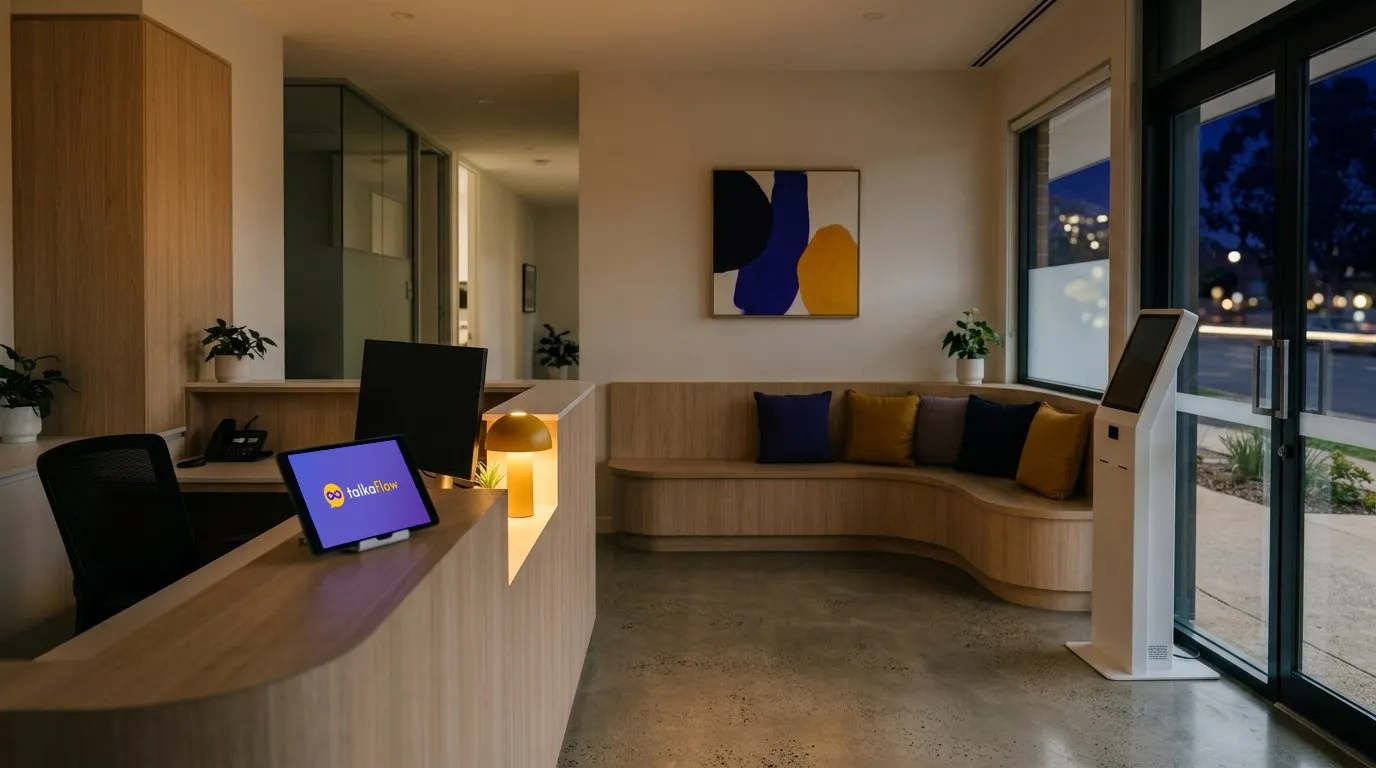
After hours, talkaFlow still answers. When it can’t resolve a request, it logs a follow-up in your portal and emails your team a summary, so staff can call back the next day.
Fast onboarding
We get you live, then keep refining
You don’t configure it alone. We build it with you around the way your clinic already works, and it only goes live when you publish it.
- 1
Connect
Your clinic software (Best Practice through Halo Connect, or Cliniko), your phone line (SIP trunk or PBX such as 3CX, or a talkaFlow number) and your website.
- 2
Configure
Your doctors, hours, booking rules and escalation paths.
- 3
Test
Try it yourself, the way a patient would.
- 4
Review
Go through the test calls and the flow with your team.
- 5
Publish
Publishing can be limited to the staff you choose.
- 6
Go live
Point your line at it, then keep refining, or roll back, as your clinic changes.
Pricing
A low-cost entry point for a fully integrated clinic workflow platform
What’s included
- An English-speaking AI front desk on your phone line, 24/7
- Connected to your clinic software
- Follow-ups, call recordings, transcripts and summaries in your portal
- Set up with you, around your clinic
Starter plan, in Australian dollars, excluding GST. Multilingual front desks are on higher plans. Ask us about check-in, SMS and multi-site clinics.
Show us how your front desk works. We’ll show you how much of it can be automated.
Book a demo and we’ll walk through your calls, your rules and your systems, then show the AI front desk booking into a demo clinic system.